Streamline Your Year with the 2024 Wall Calendar Design Template
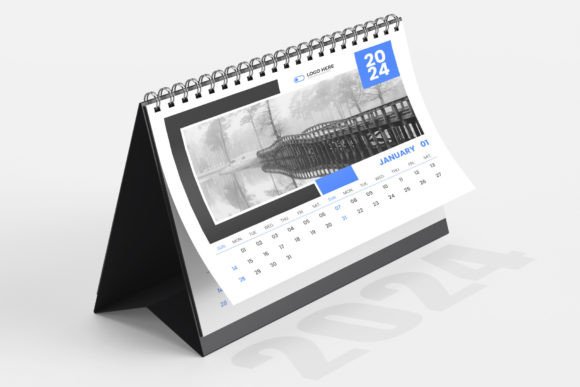
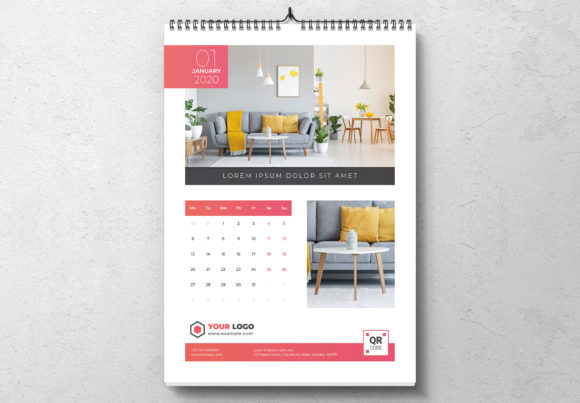
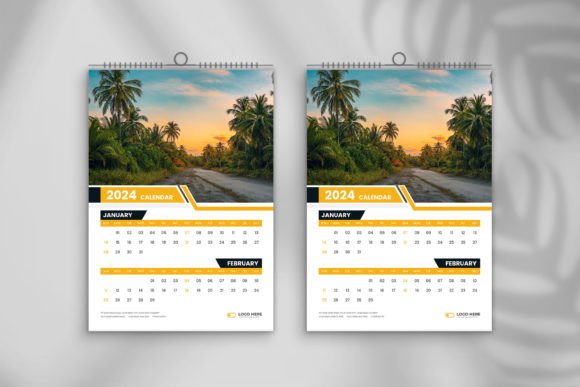
For designers, entrepreneurs, and content creators, the end of the year brings a familiar pressure: the need for fresh, branded merchandise or client deliverables. A wall calendar is a staple product, but creating one from scratch involves months of layout work, type testing, and print preparation. This is where a high-quality 2024 Wall Calendar Design Template changes the game, allowing you to focus on the art and strategy rather than the tedious technical setup. If you are looking to produce a professional A3-sized calendar without the headache of file management, this template offers a robust solution that bridges the gap between creative freedom and print-shop requirements.
The Anatomy of a Print-Ready Asset
One of the biggest hurdles in editorial design is ensuring that what you see on the screen translates perfectly to paper. This template set removes the guesswork. It is engineered at 300 DPI in RGB color mode (with conversion guides available), specifically sized to 11.69” x 16.54”—the standard A3 dimension. Crucially, it includes 0.125-inch bleeds. For the uninitiated, bleeds are the extra margin of ink that extends beyond the cut line of the paper. Without them, a slight shift in the cutting machine can leave an ugly white border on your finished product. By including this in the file structure, the template ensures a clean, edge-to-edge professional finish.
The package includes both Ai CC and Eps CC file formats. This compatibility is vital for modern design assets. Whether you are working in the latest Adobe Illustrator or opening the file in a compatible vector editor, the vectors remain crisp and editable. The files are fully editable, meaning every element—from the grid lines to the typography—is unlocked and accessible. This is not a static image; it is a functional design system.
Visual Style and Typographic Flexibility
A template should not dictate your aesthetic; it should support it. This 2024 Wall Calendar Design Template leans toward a modern, clean aesthetic that serves as a blank canvas. It avoids overly decorative elements that might clash with your specific imagery. Instead, it utilizes free fonts, which is a massive advantage for commercial viability. You do not need to purchase expensive premium font licenses to get the file running, and the included help file directs you exactly where to download them.
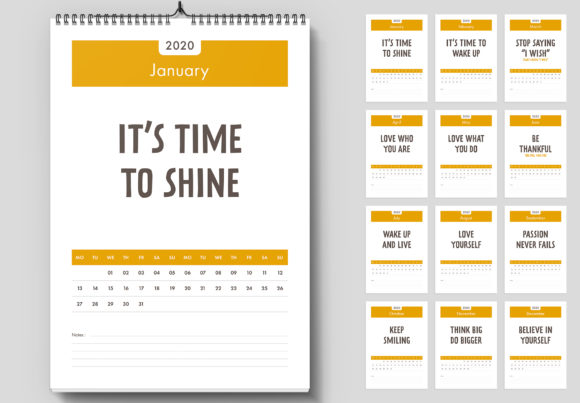
The typography within the file is structured to support a strong visual hierarchy. In calendar design, the month name needs to pop, but the dates need to be legible at a glance. The template utilizes clean sans serif font styles for the grid data, ensuring maximum readability. However, because the file is fully editable, you are free to swap this out for a bold display font for the headers to match a specific brand identity. You could pair a geometric sans-serif for the dates with an elegant serif font or a flowing script font for the month titles, creating a sophisticated contrast that elevates the design from a simple planner to a piece of wall art.
Strategic Applications for Creative Professionals
The utility of this 2024 Wall Calendar Design Template extends far beyond a simple date tracker. For small business owners and marketers, it is a tangible piece of brand identity that stays in a client’s office for 365 days. Here is how different professionals can leverage this asset:
- Photographers and Illustrators: Use the high-resolution image placeholders to showcase your portfolio. The large print size allows for detailed imagery that captures attention, making it a perfect gift for loyal clients or a sellable product on Etsy.
- Graphic Designers: Customize the layout for packaging design studios or agencies. You can adapt the grid to include project deadlines or use it as a sample of your modern typography skills when pitching to clients.
- Bloggers and Influencers: Create a "Content Calendar" version. While the file is set up for standard months, the editable nature allows you to mark specific launch dates for courses or products, turning a generic planner into a strategic marketing tool.
- Crafters and Hobbyists: Because the files are easy to customize, you can import patterns, textures, or personal photos to create family keepsakes or fundraiser items for community groups.
Technical Workflow and Customization
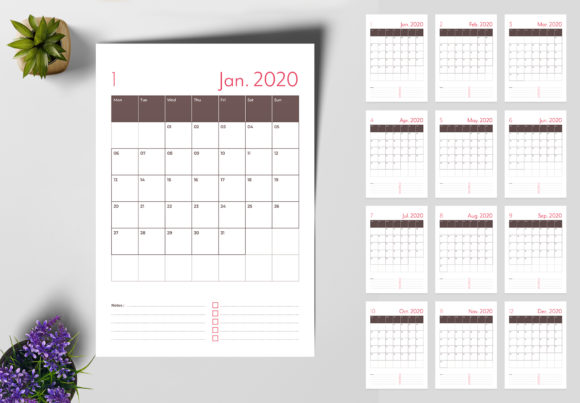
Working with the 2024 Wall Calendar Design Template is designed to be frictionless. Once you unzip the main file, you will find the Ai CC and Eps CC versions. Open the Illustrator file, and you will notice the layers are organized logically. The background, the grid, the text, and the imagery are separated. This structure allows you to quickly swap out a background color or move the grid to accommodate a panoramic photo without disrupting the rest of the layout.
The color palette is set to RGB, which is standard for digital screens, but the template is 300 DPI print ready. For offset or digital printing, you may need to convert the color mode to CMYK depending on your print shop’s specifications—a standard step in any print design workflow. The inclusion of 0.125in bleeds means you can confidently export your PDFs for production immediately upon finishing your design.
Furthermore, the reliance on free fonts means you can distribute the final product commercially without legal gray areas regarding font licensing, provided you adhere to the specific open-source licenses of the typefaces recommended in the help file. This is a critical consideration for anyone selling commercial font based products or merchandise.
Why Preparation Matters
In the world of creative font usage and design, efficiency is currency. Spending hours drawing calendar grids and aligning numbers is time you could spend on client acquisition or creative exploration. This 2024 Wall Calendar Design Template acts as a professional scaffold. It handles the structural integrity—the bleeds, the resolution, the file formats—so you can focus on the artistry. Whether you are crafting a corporate gift, a retail product, or a personal project, starting with a high-resolution, professionally structured template ensures your final output looks polished, intentional, and ready for the wall.